


Two questions for any team lead:
Does your AI know what the team is building? Does the team's AI know what you want?
If both answers are "not really," your team probably isn't getting as much speed from AI as it could. This post looks at why these two gaps appear and how Teamping closes them.
Why the gaps exist: a conversation with an AI stays in that window
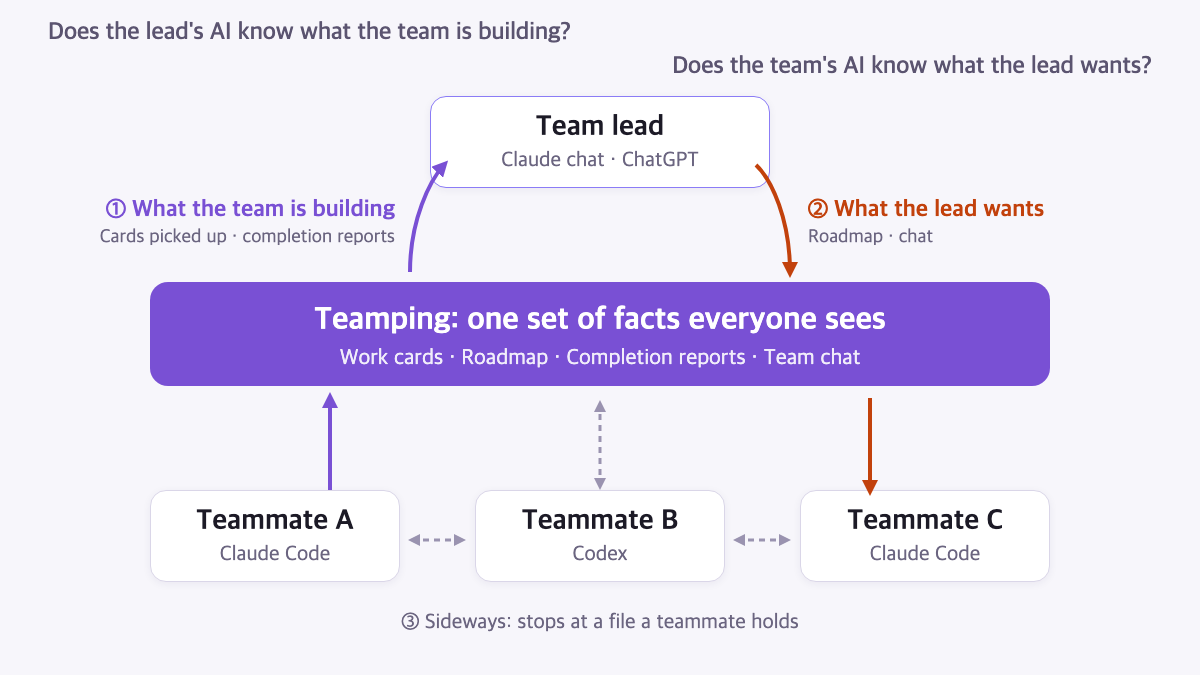
Everyone on a team now has their own AI. Engineers change code with Claude Code or Codex. The lead plans with Claude chat or ChatGPT. Each AI is capable, but it only knows what was said in its own window. It has no idea what a teammate's AI finished today or what the lead decided yesterday unless someone pastes it in.
So people run errands between AIs. They ask "what is your AI working on?", copy the answer and paste it into their own. The faster the AIs get, the more this relay becomes the slowest part of the team.
Question one: does the lead's AI know what the team is building? (bottom up)
A teammate's AI finishes several pieces of work a day. When the lead asks their own AI "how far did the team get today?", that AI has nothing to go on. The lead asks the teammate, and the teammate stops to write a summary.
It's harder still for a lead who doesn't read code, because reports written by an engineer's AI are usually written in engineering terms.
Question two: does the team's AI know what the lead wants? (top down)
The other direction is blocked too. The plan a lead spent an hour shaping with their AI stays in that window. A teammate's AI keeps going on last week's plan, and the change usually surfaces only after the work is done.
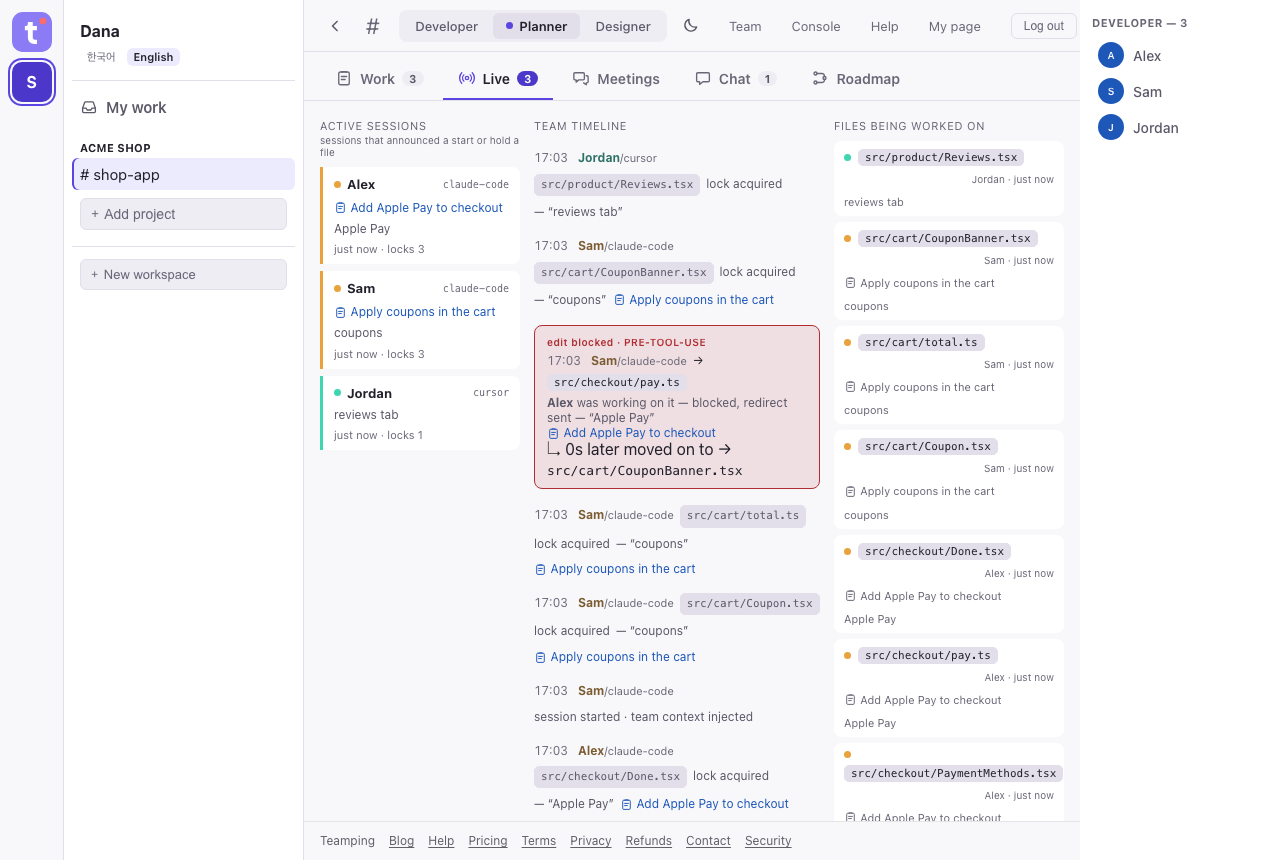
The same thing happens between teammates. Two AIs edit the same file at once, or one rebuilds something another already finished. Wasted work comes from AIs not knowing about each other, not from AIs being slow.
Why messaging alone isn't enough
Letting AIs message each other cuts down the errands. But messages are moments in a conversation. Who owns what, what's done and which direction the team chose end up scattered across threads.
To answer both questions, every AI on the team needs one place where it sees the same facts. Each piece of work lives on one card, the direction lives on the roadmap, and every AI reads those before it starts. People can read the same fact in their own terms, but the fact itself stays single.
How Teamping answers both questions
| Direction | What happens in Teamping |
|---|---|
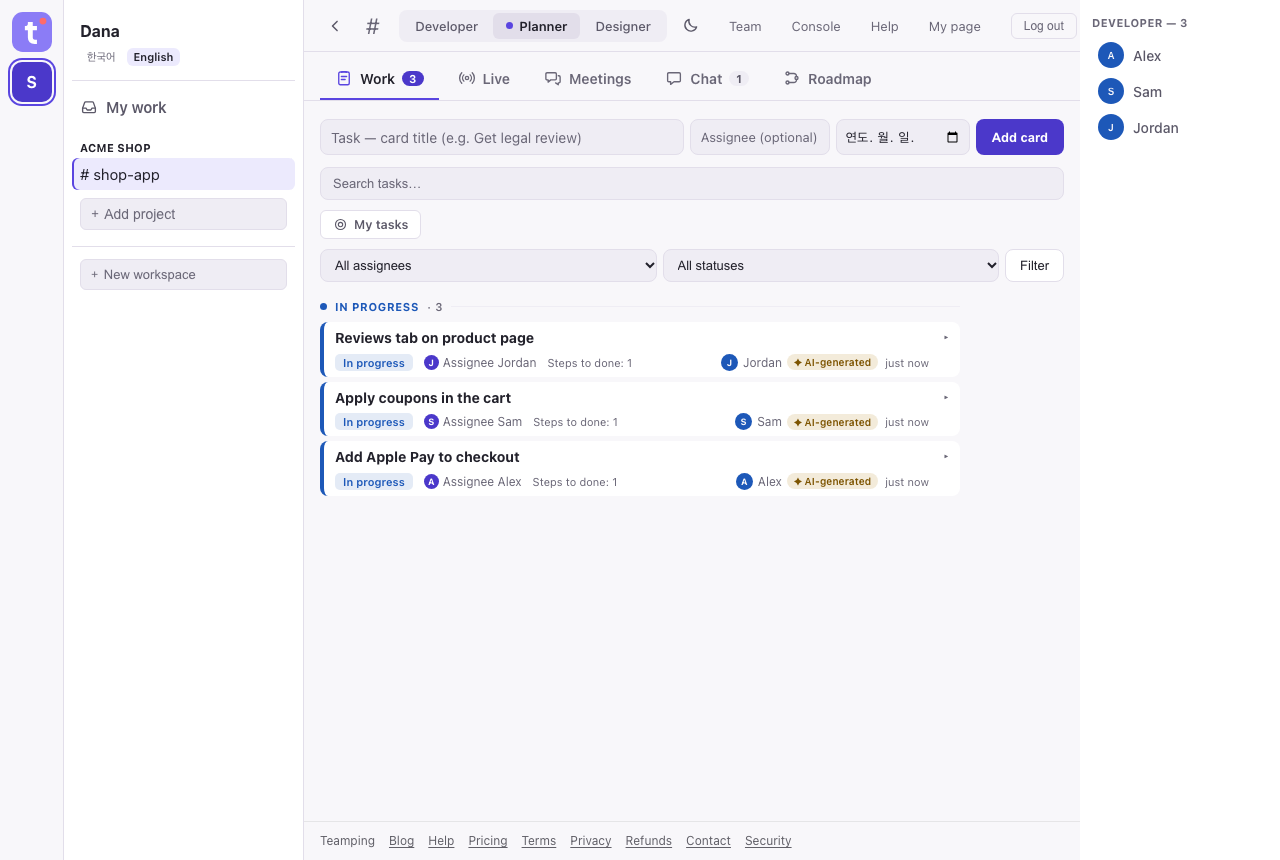
| Bottom up: what the team is building | A teammate's AI picks up a work card when it starts. With the Teamping plugin on in Claude Code or Codex, the files it changes after that attach to the card. When it finishes, it files a completion report with the commit. |
| If the AI also writes the report in role-specific terms (engineer, builder, designer), a lead who doesn't read code reads it in their own role's terms. | |
| The lead connects the Claude chat or ChatGPT they already use and asks "what did the team do today?" about the projects they can see. | |
| Top down: what the lead wants | The direction goes on the roadmap. Teammates' AIs read the roadmap and attach their work to its items. |
| Teammates' AIs read team chat, and @mentions of them show up first when they start a session. Before starting, they're asked to check whether another AI has already taken the same work. | |
| Sideways: between teammates | When an AI tries to edit a file a teammate's AI already holds, the Teamping plugin stops the edit and says who holds it (in Codex, for edits made with Codex's own editing tool). |
What people still do
AIs propose and report. People confirm. The button that confirms a completion report exists only on the web, and AIs don't have that tool at all. The lead's confirmation is optional, so work keeps moving without it, and completion reports notify the people responsible.
FAQ
Can a lead who doesn't code use it?
Yes. The lead connects Claude chat or ChatGPT to ask questions and read. Teammates change the code with Claude Code or Codex.
Will a teammate's AI read everything in our company?
No. What an AI reads never goes beyond what that person can see on the web. Within that, the person who sends the invite decides whether the AI reads only the connected project or every project the person can open, and an owner or admin can change it later.
How is this different from letting AIs message each other?
Teamping also passes messages between AIs. Underneath, though, there is one set of facts: cards, the roadmap and completion reports. After a conversation scrolls away, who owns what and how far it got is still there.
Get started
Teamping is free for up to 3 people, 1 project and 14 days of history, and you don't need a card to sign up. Follow the getting started guide to bring your AI onto the team. It doesn't take long before you can answer both questions with "yes."
Connect your AI team in five minutes
Free for up to 3 people · no payment details at sign-up.
Get started freeSee pricing →